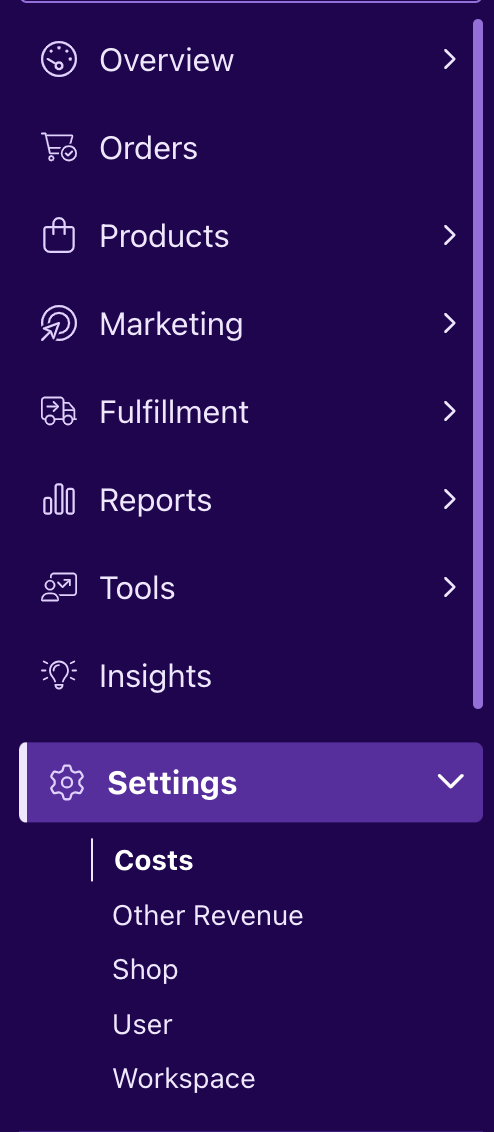
Changing your processing fees is a simple task you can find inside your BeProfit workspace. You can access and edit your processing fees by going to:
- Settings
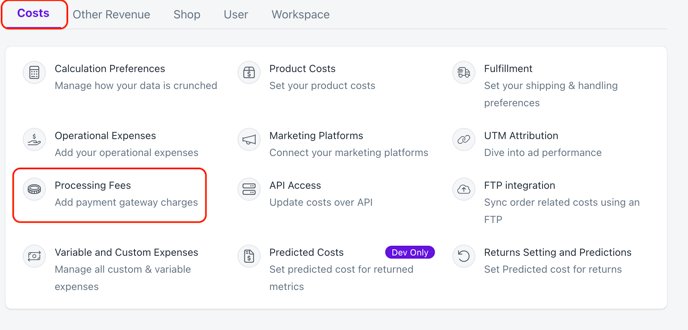
- Ensure you are under the Costs tab. Here you can select Processing Fees

Changing your processing fees is a simple task you can find inside your BeProfit workspace. You can access and edit your processing fees by going to: