
You can exclude your COGS from fully refunded orders within your costs settings:
1. Go to Settings -> Costs and select Calculation Preferences
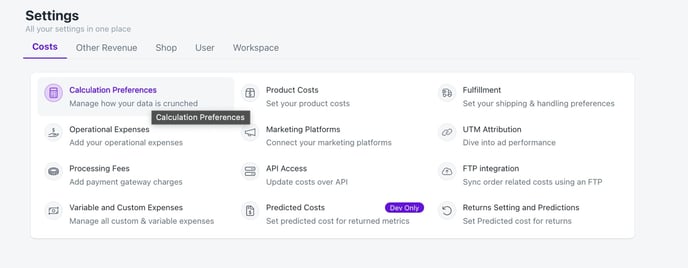
1. Go to Settings -> Costs and select Calculation Preferences
2. Scroll down - find Refund Preferences. Enable 'Exclude COGS from all fully refunded orders' 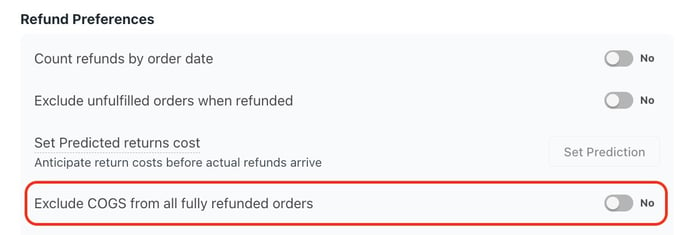
Please remember this is for fully refunded orders. Partial refunded orders do not apply.