
This article will explain how you can edit any type of recurring custom expense (operational, fulfillment, marketing, etc.).
-
Navigate to Settings
-
Click Costs
-
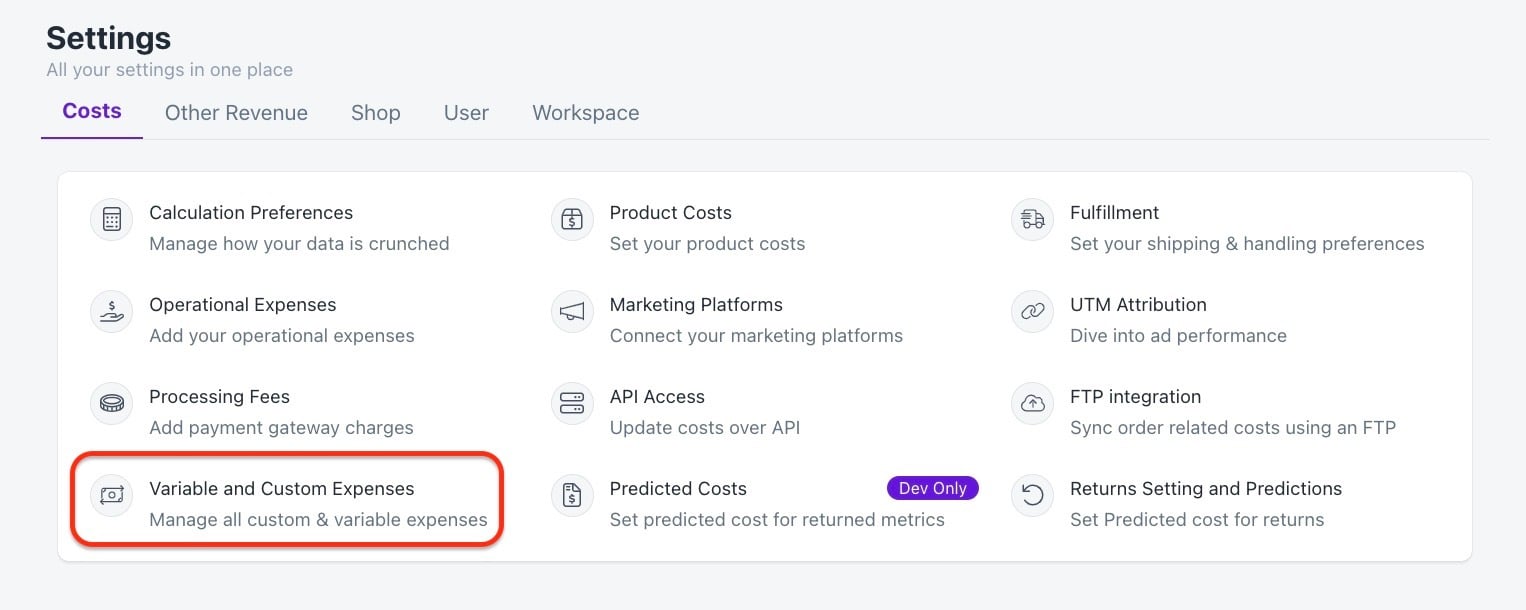
Select Custom and Variable Expenses
-
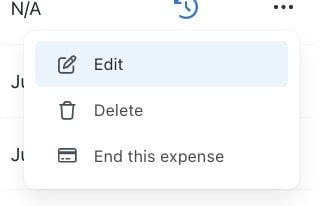
Go to the expense you wish to edit and click the options icon (three small dots) on the right

-
Click Edit
-
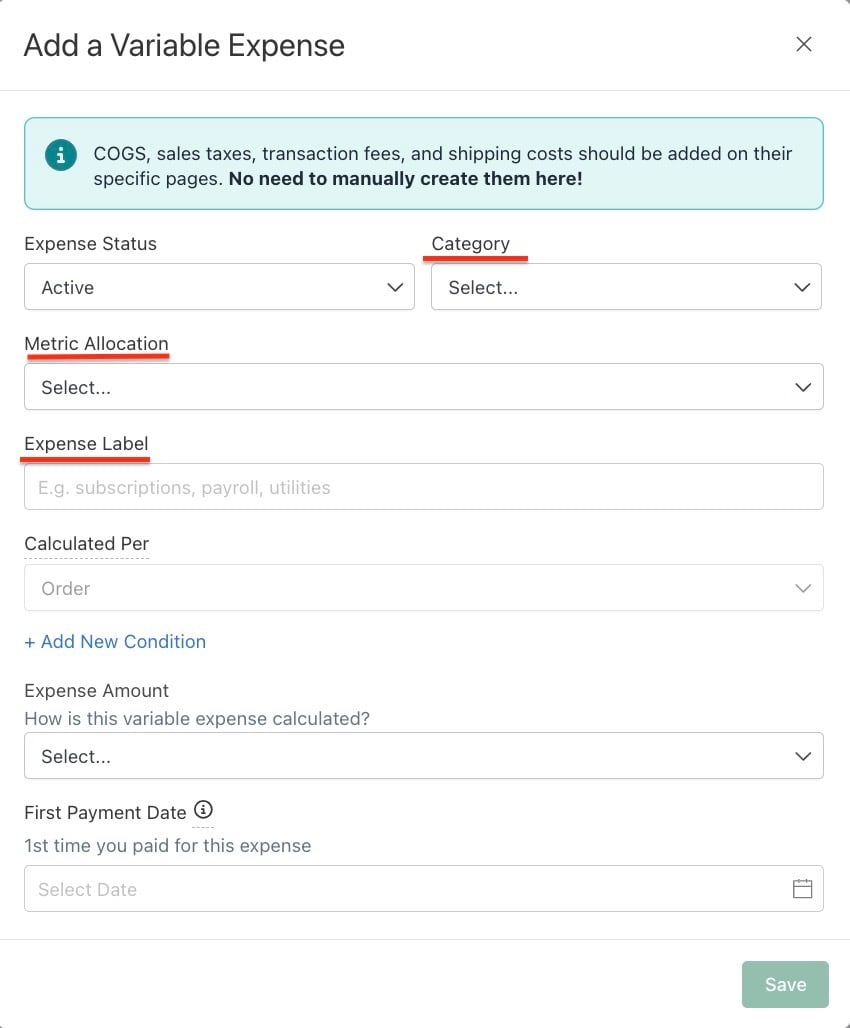
You can edit the Expense Label, Category and Expense Amount
-
Click Save
Related Articles